Paste Technology Emojis Instantly: 1,900+ Curated Icons
This is a curated, copy-ready collection of technology emojis, organized so you can grab exactly what you need without scrolling through 1,900 unrelated symbols. You will find devices, computing icons, internet and network symbols, AI and robot faces, and hand tools, each grouped and ready to paste directly into a message, caption, or post.
TL;DR:
- The collection organizes over 1,900 tech emojis by category to streamline searching and copying for quick use in messages, captions, or posts.
- Different platforms render tech emojis with noticeable variations in style, which can alter the tone of your message depending on where it’s viewed.
- Copying multiple emojis at once is faster when selecting entire rows of characters, especially for creating headers or lengthy captions.
- Specific device emojis like 💻 and 🖥️ have distinct meanings, with the laptop symbol representing portability and the desktop signifying a fixed setup.
- Advanced users can build custom emoji combos using online tools, which allow previewing, arranging, and copying sequences tailored to specific content needs.
Table of Contents
- Copy and Paste Technology Emojis by Category
- Tech Emoji Combos and Templates You Can Copy Right Now
- What Do the Main Tech Emojis Actually Mean?
- Why the Same Tech Emoji Looks Different on Every Phone
- Fast Ways to Find and Copy Tech Emojis
- Build Your Own Tech Emoji Combo in the Playground
- Why We Organized This Collection the Way We Did
- Get More From the Full Tech Emoji Toolkit
- Sources
- FAQ
Copy and Paste Technology Emojis by Category
Scrolling through a giant, unsorted emoji keyboard to find one tech symbol wastes time you do not have. Grouping by category fixes that, because your brain matches intent to icon faster when the options are already filtered down to the same family of meaning.
Below are the core categories most people search for when they want tech emojis. Tap or click any group, then copy the string straight into your app.
Devices and screens
- 💻 Laptop, 🖥️ Desktop Computer, 🖱️ Computer Mouse, ⌨️ Keyboard, 🖨️ Printer, 📱 Mobile Phone, ☎️ Telephone, 📞 Telephone Receiver, ⌚ Watch, 📺 Television, 📷 Camera, 📸 Camera With Flash
Computing and code
- 🧑💻 Technologist, 👨💻 Man Technologist, 👩💻 Woman Technologist, 💾 Floppy Disk, 💿 Optical Disk, 🗄️ File Cabinet, 📊 Bar Chart, 🧮 Abacus, 🔢 Input Numbers
Internet and networking
- 🌐 Globe With Meridians, 📡 Satellite Antenna, 📶 Antenna Bars, 🛰️ Satellite, 🔗 Link, 📤 Outbox Tray, 📥 Inbox Tray, 🔒 Locked, 🔓 Unlocked, 🆔 ID Button
AI and robotics
- 🤖 Robot, ⚙️ Gear, 🦾 Mechanical Arm, 🧠 Brain, ⚛️ Atom Symbol, 🔬 Microscope, 🛸 Flying Saucer
Power, tools, and peripherals
- 🔋 Battery, 🔌 Electric Plug, 💡 Light Bulb, 🛠️ Hammer and Wrench, 🔧 Wrench, ⚡ High Voltage, 🧰 Toolbox, 🪛 Screwdriver
Media and output
- 🎥 Movie Camera, 🎮 Video Game, 🕹️ Joystick, 📀 DVD, 🎧 Headphones, 🖲️ Trackball
A few of these deserve a second look before you hit copy. The 🖱️ mouse and 🖲️ trackball look nearly identical on smaller screens, so double-check the render in your target app if precision matters. And 📡 satellite antenna gets used loosely for “broadcasting” or “going live,” not just literal satellite hardware, which is worth knowing if you want your caption to land the way you intend.
One practical note on format: every emoji above is a plain character, not an image file, so it copies cleanly into text fields, comment boxes, and most CMS editors without breaking formatting. If you are designing something like a banner or thumbnail where color consistency matters across viewers, a static image usually beats an emoji character, since rendering still varies by platform (more on that below). For anything you would actually read as text, on a phone, in a Slack message, in a tweet, the character wins every time because it is instant to copy and universally supported.
Pro Tip: Copy multiple emojis at once by selecting the entire row of characters, not one at a time. Most browsers let you highlight and copy a string like 💻🖥️⌨️ in a single motion, which saves a lot of repetitive tapping if you are building out a longer caption or header.
Want the full 1,900-plus library instead of this curated set? The complete searchable collection lives on the Emoji Copy and Paste page, filterable by keyword.
Tech Emoji Combos and Templates You Can Copy Right Now
Single emojis are useful, but strings of them do more work in headers, captions, and code comments. Below are combos organized by where you would actually use them, each with a quick swap suggestion so you can personalize it in seconds.
- Profile header, developer: 🧑💻💻⚙️ — swap the technologist emoji for 👨💻 or 👩💻 to match your presentation.
- Profile header, gamer/tech enthusiast: 🎮🖥️⚡ — swap ⚡ for 🔋 for a calmer tone.
- Social caption, “new gadget unboxing”: 📦📱✨ — swap 📱 for 💻 or ⌚ depending on the product.
- Social caption, “working late on a project”: 🌙💻☕ — swap ☕ for 🧠 if coffee is not part of your brand.
- Code comment, TODO flag: ⚠️🛠️ // fix before merge
- Code comment, AI/ML note: 🤖🧠 // model retrain needed
- Bio line, “in tech”: 👩💻🌐 Building things on the internet
- Bio line, robotics/AI focus: 🤖⚛️ Robotics + AI
- Post banner, “system update”: 🔧📡🔄 — swap 🔄 for ✅ once the update is confirmed live.
- Post banner, “we’re online”: 🌐✅📶
- Newsletter subject line, tech roundup: 📡💻🗞️
- Comment sign-off, casual sysadmin humor: 🖥️🔥 (server’s on fire, send help)
- Username decoration: ⚡🤖⚡
A quick note on the technologist emojis (🧑💻, 👨💻, 👩💻): these are ZWJ sequences, meaning they are built by joining a person emoji, a zero-width joiner character, and a laptop symbol into one glyph. Most current apps render them fine, but a handful of older or lower-support platforms may split them into two separate icons. Skin-tone modifiers work with all three variants, so 👩🏽💻 renders correctly on any app that supports Unicode’s full emoji sequence set. CapCut’s tech emoji collection shows several of these combo patterns already trending in short-form video captions, which is a good sign they read well to a modern audience.
What Do the Main Tech Emojis Actually Mean?
Picking the wrong device emoji is a small thing, but it changes how a message reads. Here is a fast reference for the ones people mix up most often.
- 💻 Laptop — general “working” or “on my computer” shorthand; the default choice for remote work or coding references.
- 🖥️ Desktop Computer — implies a stationary setup, often used for gaming rigs, offices, or server contexts rather than mobility.
- 📱 Mobile Phone — texting, calling, or app use; also stands in for “check your phone” or “call me.”
- 🤖 Robot — automation, AI, or bots; increasingly used sarcastically to mean “that response sounded robotic.”
- 🧑💻 Technologist — represents a person coding or working in tech; more specific than 💻 alone.
- ⚙️ Gear — settings, configuration, or “work in progress” behind the scenes.
- 🌐 Globe With Meridians — the internet broadly, or “going global” and international reach.
- 🔋 Battery — literal battery level, but also used to mean energy or stamina (“running low today 🔋”).
- 🛠️ Hammer and Wrench — fixing, building, or troubleshooting, in both a literal and a figurative sense.
- 📡 Satellite Antenna — broadcasting, signal, or “we’re live,” beyond its literal hardware meaning.
The laptop versus desktop distinction trips people up most: use 💻 for anything mobile or remote, 🖥️ when the setup is fixed in one place. Full meanings and edge cases for these and hundreds more are cataloged on the Emoji Meanings page.
Why the Same Tech Emoji Looks Different on Every Phone
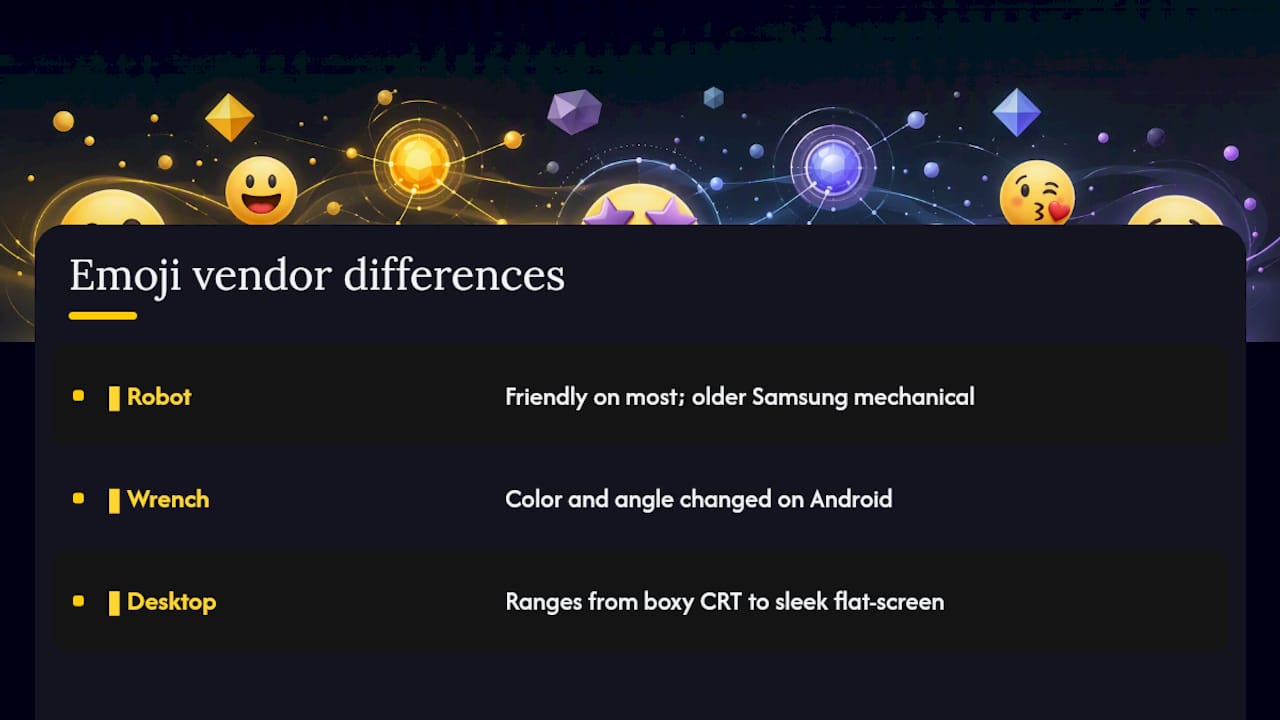
Unicode defines what an emoji means, not exactly how it looks. Apple, Google, Microsoft, and Samsung each design their own artwork for the same code point, and the differences are bigger than most people expect.
The 🤖 robot is a clean, friendly design on most platforms, but older Samsung renders leaned more mechanical and less approachable. The 🔧 wrench has shifted color and angle across Android updates. And 🖥️ desktop computer varies from a boxy CRT-style icon to a sleek flat-screen monitor depending on the vendor, which matters if you are trying to signal “modern setup” versus “retro tech” in a post.
Rendering can shift a message’s tone without you noticing. Vendor artwork for the same CLDR-named emoji genuinely differs enough that a friendly-looking icon on your phone might read as cold or dated on someone else’s.
If you are posting client-facing content or a brand caption, preview it across platforms first. The Emojis by Platform page shows how tech emojis actually render on iPhone, Android, TikTok, Discord, and more, so you are not guessing.
Fast Ways to Find and Copy Tech Emojis
You don’t need to memorize Unicode names to grab the right symbol quickly. A few shortcuts cover almost every situation:
- Windows: press Win + . (period) to open the built-in emoji picker, then type “robot” or “laptop” to filter.
- macOS: press Control + Command + Space to open the character viewer with a search field.
- Mobile (iOS and Android): long-press the emoji key or space bar on most keyboards to reveal skin-tone and style variants for supported emojis.
- On Emoji Trove: use the search bar to filter by keyword, tag, or category, then click any emoji to copy it instantly, no highlighting required.
Pro Tip: If you’re designing something that needs to look identical everywhere, like a printed flyer or a brand logo, use a static image instead of an emoji character. Emoji characters are great for text-based communication because they copy fast and work everywhere, but they render differently across devices, so they are the wrong choice when visual consistency matters more than speed.
Build Your Own Tech Emoji Combo in the Playground
Want something more custom than the templates above? The process takes under a minute.
- Open the emoji tools page and pick the combo or text generator.
- Choose your base emojis (start with a device, then add a symbol like ⚡ or 🌐).
- Arrange the order and preview how it looks in a text field.
- Copy the finished string and paste it into your post, bio, or comment.
Two quick workflows: for a social header, stack three to four emojis with visual variety (💻⚡🌐). For an inline code comment, keep it to one or two symbols so it doesn’t clutter the line (🛠️ // needs review). Keep in mind that playground previews approximate rendering, they cannot guarantee the exact look on every recipient’s device.
Why We Organized This Collection the Way We Did
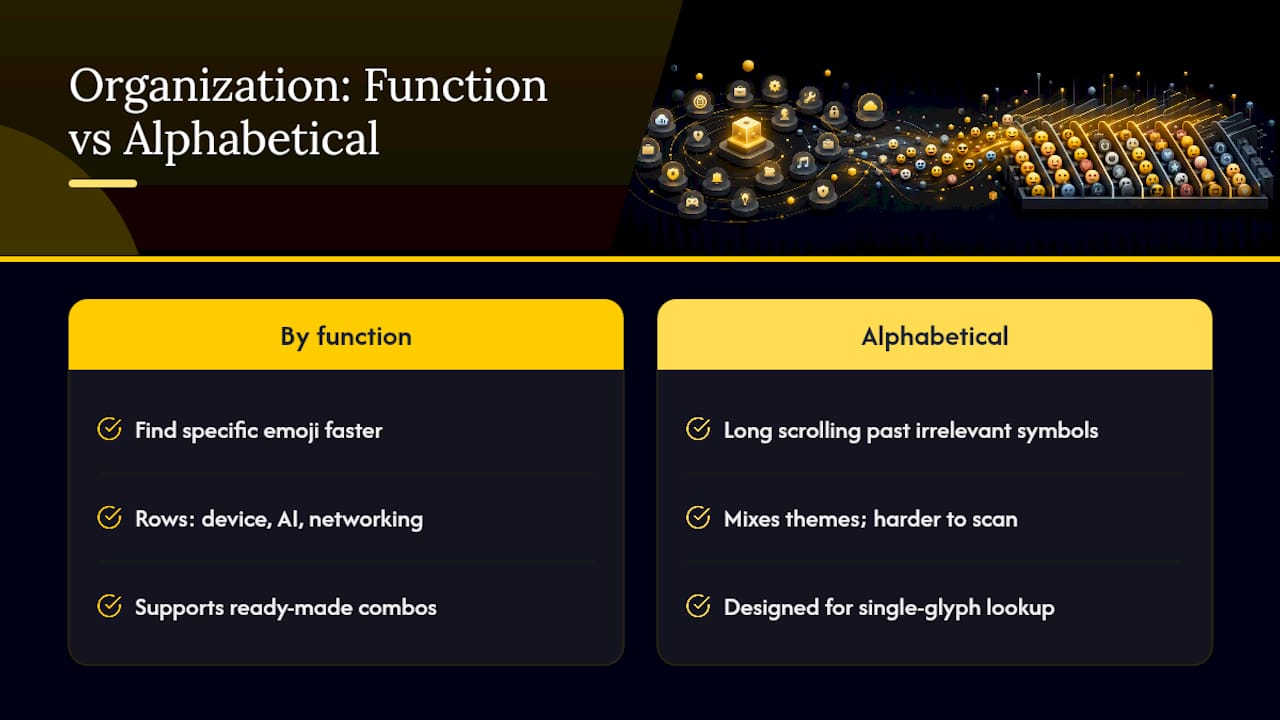
Grouping by function rather than dumping every tech-adjacent emoji into one long list was a deliberate choice. When you are writing a caption at 11 p.m., you don’t want to scroll past 40 irrelevant symbols to find one wrench. You want the device row, the AI row, or the networking row, and nothing else in your way. That is the same logic behind organizing the full 1,900-plus emoji library by theme instead of alphabetically.
Ready-made combos exist because most people copy strings, not single glyphs, for headers and bios. If you’ve built a combo that works better than what’s listed here, send it our way through the site’s contact page. We update these collections as usage patterns shift.
— Nkosi
Get More From the Full Tech Emoji Toolkit
The categories and combos above cover the tech emojis people reach for most, but they are a slice of what’s available. If you need a symbol that didn’t make this list, or you want to build a custom combo with skin-tone variants and live previews, the full toolkit goes further than any static page can.
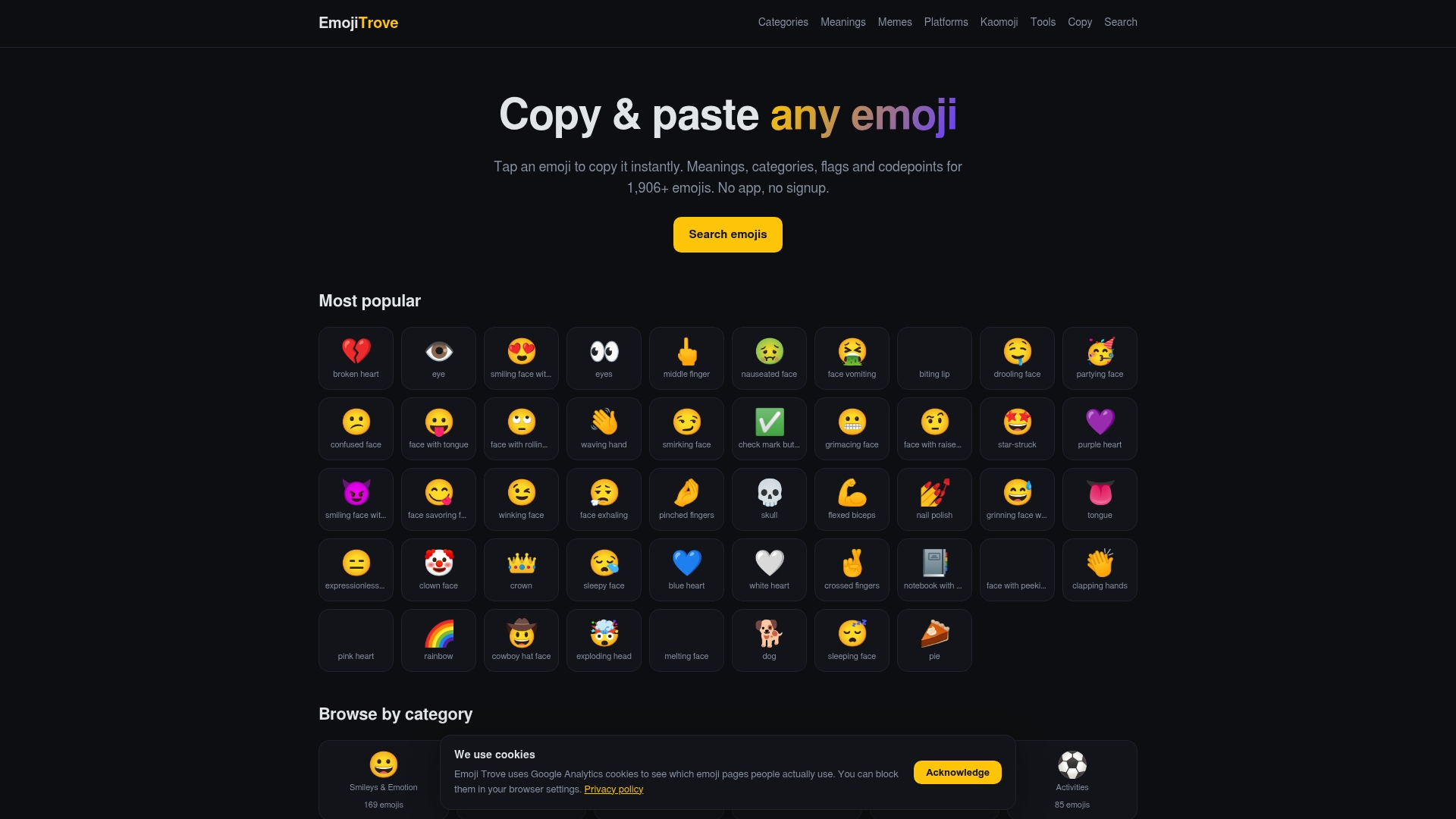
The Emoji Copy and Paste page holds the entire searchable library, filterable by keyword so you can find a specific device, symbol, or ZWJ sequence in seconds instead of scrolling. Pair it with the Emoji Tools page for combo building, text generators, and platform previews before you post anything client-facing. Start with a quick search on the copy page for the exact emoji you need, then move to the tools page if you want to build something more custom.
Sources
For the technical details behind every emoji in this collection, consult the Full Emoji List, v17.0 for code points and CLDR names, or the Unicode Standard overview on Wikipedia for how the standardization process works.
FAQ
What Is the 🖱️ Emoji?
The 🖱️ emoji is Computer Mouse, used to reference clicking, navigating, or general desktop computer use.
What Does the 📱 Emoji Mean?
The 📱 emoji is Mobile Phone, commonly used for texting, calling, or telling someone to check their phone.
What Does the 🤖 Emoji Mean?
The 🤖 emoji is Robot, used for automation, AI, and bots, and increasingly as sarcastic shorthand for a stiff or scripted response. Full context and related tech emoji meanings are covered on the Emoji Meanings page.
What Does the ⚛️ Emoji Mean?
The ⚛️ emoji is Atom Symbol, used for science and physics references, and often borrowed in tech contexts to signal AI, research, or “deep technical” work.
How Do I Copy a Technology Emoji Without Retyping It?
Click or tap the emoji directly on a searchable library like Emoji Trove, which copies the character to your clipboard instantly without highlighting or keyboard shortcuts.