Copy Ready Instagram Bio Emojis: 150 Character Sets Via EmojiTrove
The fastest way to fix a flat Instagram bio is copying two to four well-chosen emojis or symbols and pasting them straight in. Instagram’s bio field caps out at 150 characters, so pick emojis that carry weight, test the bio on a second device before you commit, and pull your icons from a searchable library like Emoji Trove instead of hunting through your phone’s keyboard.
TL;DR:
- Using standard Unicode emojis and symbols ensures consistent rendering across devices and reduces the risk of broken characters or accessibility issues.
- Limiting your bio to two to four emojis or symbols helps maintain clarity and prevents it from feeling cluttered or overwhelming.
- Testing your bio on multiple devices and with screen readers before publishing can catch rendering errors and improve accessibility for all viewers.
- Choosing emojis that reinforce your established theme or aesthetic increases recognition and ensures your bio aligns with your overall brand or personality.
- Pasting emojis from searchable libraries like Emoji Trove streamlines the process, but always verify character count and appearance on different phones first.
Table of Contents
- Instagram Bio Emojis by Vibe: Ready-Made Idea Buckets
- How to Add Emojis to Your Instagram Bio, Step by Step
- Will Your Emojis Actually Render? Accessibility and Device Support
- Copy-and-Paste Instagram Bio Templates You Can Use Today
- Choosing Emojis That Actually Match Your Brand
- What Small Tests Taught Me About Bio Emojis
- Find Your Emojis in Seconds, Not Scrolls
- Where This Article’s Guidance Comes From
- Sources
- FAQ
Instagram Bio Emojis by Vibe: Ready-Made Idea Buckets
You don’t need to invent a style from scratch. Pick the aesthetic closest to your page, grab the emojis below, and adjust from there.
- Minimal/clean: A single divider does more work than a row of icons. Try
•or|between sections, with one or two accent marks like✦or✧. - Coquette/soft: Hearts, bows, and sparkles dominate this look. Think
♡,🎀, and✨paired with soft, lowercase copy. - Travel/adventure: ✈️ 🌊 🏔️ 🛂 signal movement without needing a caption explaining it.
- Foodie: 🍴 ☕ 🍰 plus a small flag emoji for the cuisine you cover gives instant context.
- Pet or animal lover: 🐾 🐱 🐶 🐦 work as both decoration and a quick content preview.
- Creator/professional: 📷 💻 🖊️ 💼 read as competence, not clutter, especially in a portfolio-style bio.
- Music/entertainment: 🎵 🎤 ⭐ signal genre and personality at a glance.
- Playful/emoji-only: Some bios skip text entirely, using a repeated row of symbols (like
✿ ˚ ✿ ˚ ✿) or kaomoji such as(`・ω・´)for a distinct, text-free identity.
The trick isn’t picking the prettiest icons. It’s picking icons that repeat a theme your grid already tells, so the bio confirms what a scroller already suspects.
How to Add Emojis to Your Instagram Bio, Step by Step
Instagram has no built-in symbol picker, so copying and pasting from an outside source or your device’s emoji keyboard is the standard method on both mobile and desktop.
On mobile (iOS or Android):
- Open your phone’s emoji keyboard, or browse a library like Emoji Trove’s copy and paste page.
- Tap and hold to copy the symbol.
- Open Instagram, go to Edit Profile, and paste it into the bio field.
On desktop:
- Use your OS emoji picker (Control+Command+Space on macOS) or copy directly from a site.
- Open Instagram in a browser and go to Edit Profile.
- Paste and save.
Line breaks are trickier than they should be. Instagram sometimes strips blank lines that have no visible character in them, so a bio formatted with pure whitespace can collapse when you save it. Draft your bio in your phone’s Notes app first, or use a line break tool that inserts a recognized separator instead of an empty line.
Pro Tip: Build your bio in Notes, preview it on a second phone before you publish, and only then paste it into Instagram. What looks perfect on your screen can turn into empty boxes on someone else’s.
Will Your Emojis Actually Render? Accessibility and Device Support
Most standard emoji and common Unicode symbols display consistently across iPhones, Android phones, and desktop browsers. The trouble starts when a bio leans on obscure Unicode blocks or “fancy” stylized fonts pulled from a text generator.
- Rare Unicode characters can render as empty boxes on devices that don’t support that block.
- Screen readers often read the plain-language name of a standard emoji correctly, but they can skip or mangle decorative characters and substituted fonts, according to accessibility notes on Instagram’s character limits.
- Testing your bio on a second phone, or running a quick screen-reader check, catches most of these problems before a follower does.
- If accessibility matters to your audience, stick with standard emoji and simple symbols rather than stacking decorative Unicode.
Fancy text might look striking in a preview tool, but that same string can turn into gibberish the moment it hits a device it wasn’t built for. Reliability beats novelty here.
Copy-and-Paste Instagram Bio Templates You Can Use Today
Each template below fits inside the 150-character limit. Swap the bracketed text for your own name, city, or link, and keep the emoji as-is or trade it for a close match.
- Personal intro:
✧ [Your Name] ✧ / 22 / [City] / coffee addict ☕ - Creator/portfolio:
📷 Visual storyteller / based in [City] / portfolio ⬇️ - Business CTA:
🛍️ [Brand Name] / handmade goods / shop link below 👇 - Travel account:
✈️ Chasing sunsets / [number] countries / next stop: [Country] - Photographer:
📸 [Name] Photography / weddings + portraits / [City] - Musician:
🎵 [Artist Name] / new single out now 🎧 / link below - Foodie/recipe page:
🍳 Home cook / easy recipes daily / save + share 🍰 - Fitness coach:
💪 [Name] / online coaching / DM to start your plan - Pet account:
🐾 [Pet Name]'s adventures / [breed] / [City] - Symbolic-only bio:
✿ ° ⋆ 。 ˚ ☁︎ ˚。 ⋆° ✿ - Minimalist/aesthetic:
[Your Name] | [City] | est. [Year] - Small business owner:
☕ [Business Name] / small batch / est. [Year]
Some of these swap emoji for text symbols on purpose. Standard emoji render in full color almost everywhere, while a monochrome symbol like ♡ or ✧ blends into your text and reads as subtler, according to guides on Instagram bio symbols. Use color when you want the icon to pop and monochrome symbols when you want the whole bio to read as one clean unit. After pasting any template, check the character count and preview it on a second device before you save.
Choosing Emojis That Actually Match Your Brand
The goal isn’t decoration for its own sake. It’s picking icons that reinforce the tone you want a stranger to read in three seconds.
Start by deciding whether your bio is professional or playful, then hold yourself to two to four accent emojis total. Beyond that, a bio starts reading as cluttered rather than curated. Symbols work well as dividers between sections, colorful emoji work best as emotional cues, and kaomoji fit best when you want a quirky, text-based personality that skips color entirely.
- Readability: can a stranger scan your bio in under five seconds?
- Accessibility: would a screen reader stumble on any of these characters?
- Platform preview: does it look the same on an iPhone and an Android phone?
- Character budget: are you still comfortably under 150 characters?
- Second opinion: has someone else looked at it before you saved it?
Pro Tip: Send your bio draft to a friend on a different phone model before you publish. Rendering differences are the single most common reason a “perfect” bio looks broken to half your audience.
What Small Tests Taught Me About Bio Emojis
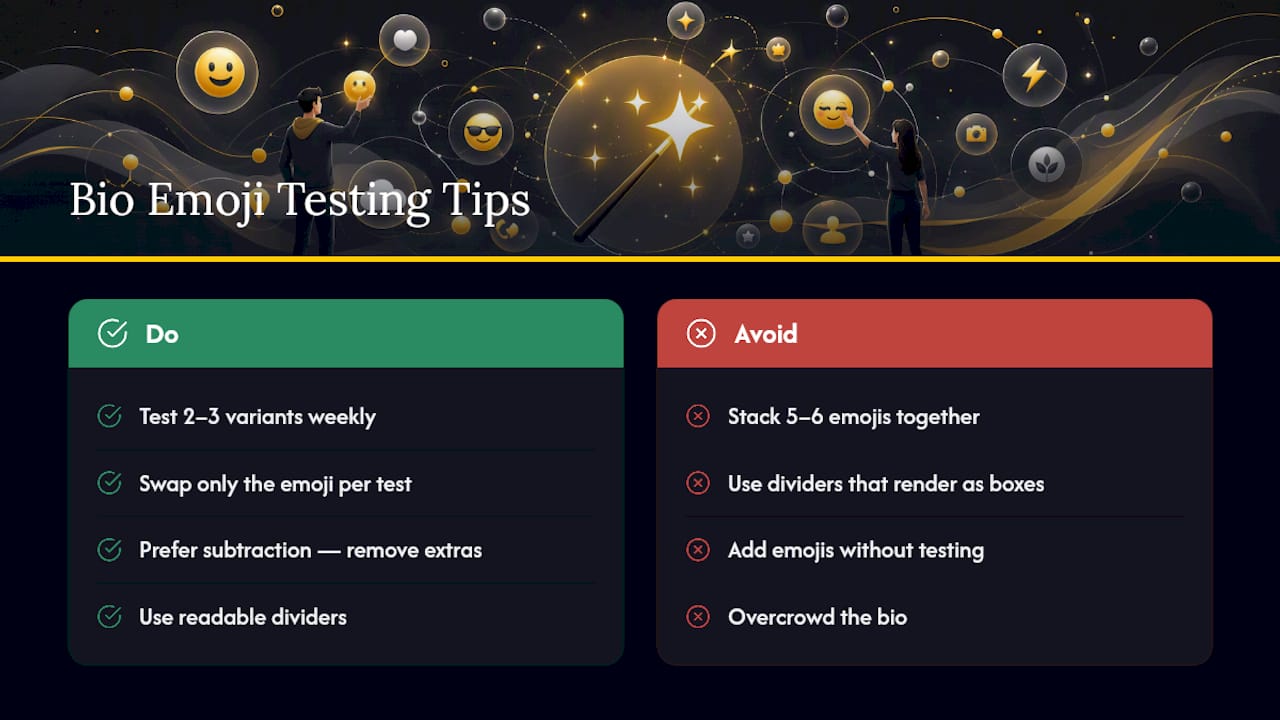
The most common mistake I see is overcrowding, five or six emoji stacked together until the bio reads like a keyboard smash, or using an unreadable divider that shows up as a box on half the audience’s phones. The fix is almost always subtraction, not addition.
Running two or three bio variants for a week each, swapping only the emoji, tells you more about what your audience notices than any single guess. It’s a small habit, but it’s the one that separates a bio that gets skipped from one that gets a follow.
— Nkosi
Find Your Emojis in Seconds, Not Scrolls
Scrolling through your phone’s keyboard for the right heart or divider wastes time you could spend actually posting. Emoji Trove solves that with a searchable library of over 1,900 emojis sorted by category, so you go straight from “I need a travel-themed bio” to a finished, pasted result.
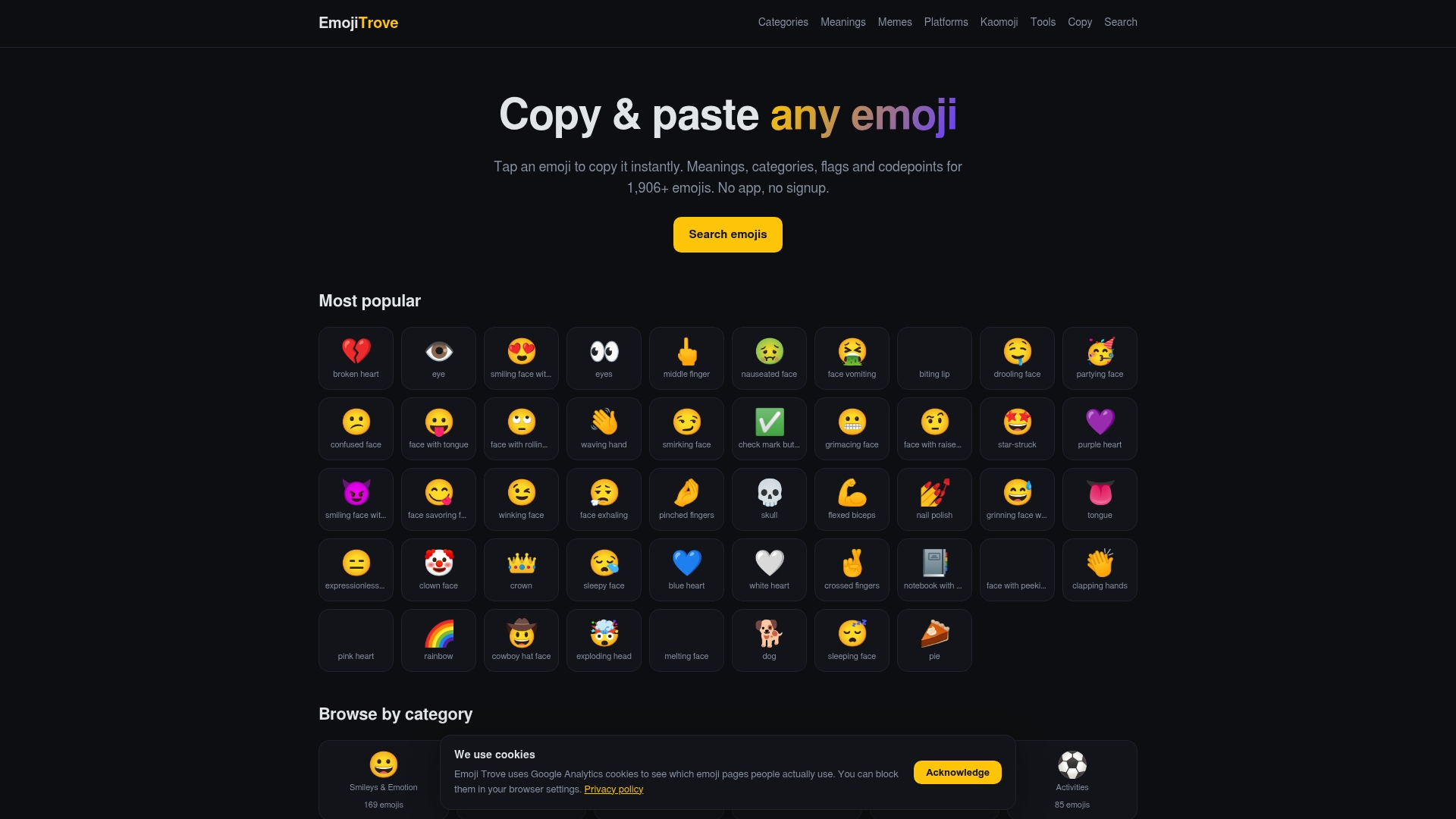
Beyond the main copy and paste page, Emoji Trove offers dedicated sections for platform-specific rendering if you want to confirm how an icon looks on different devices, plus a kaomoji hub for readers who want text-based alternatives instead of color emoji. If you’re still deciding what an emoji actually communicates before you commit it to your bio, the emoji meanings page breaks down the connotations behind the icons you’re considering. Open the search bar, pick your theme, and copy your bio’s next accent in under a minute.
Where This Article’s Guidance Comes From
The character limit, copy-paste method, and accessibility warnings in this guide draw from a handful of technical references worth bookmarking if you want to go deeper. The Unicode symbol guide for social media bios breaks down code points for common decorative characters, which helps if you want to understand why some symbols stay stable across devices while others don’t. wikiHow’s rundown of Instagram symbols and emoticons covers kaomoji and classic bio symbols in more detail. For the accessibility side, Bundle Social’s notes on Instagram character limits explain how fancy fonts can break screen readers, and TypeAnySymbol’s copy-paste guide walks through the manual process step by step. If your bio strategy is part of a bigger profile overhaul, a marketing partner like HarbourSide Digital can help with the parts that go beyond emoji choice.
Sources
- Instagram symbols & emoticons to use in bios and captions — wikiHow
- Instagram character limits and related accessibility notes (Bundle Social blog)
FAQ
How Many Emojis Should I Use in My Instagram Bio?
A few accent emojis keep a bio readable and personal without looking cluttered, according to general guidance from wikiHow’s Instagram symbols guide.
What Is the Instagram Bio Character Limit?
Instagram enforces a 150-character limit for bios, and that field accepts both emoji and Unicode symbols when pasted in.
Can I Just Copy and Paste Emojis Into My Instagram Bio?
Yes. Instagram has no built-in symbol picker, so copying from your device’s emoji keyboard or a library like Emoji Trove and pasting into Edit Profile is the standard method.
Why Do Some Symbols Look Broken on Other Phones?
Obscure Unicode blocks and decorative “fancy” fonts can render as empty boxes on devices that don’t support them, which is why testing your bio on a second phone before publishing matters.
Are Kaomoji a Good Alternative to Emoji?
Kaomoji are text-based emoticons built from keyboard characters, and they work well for readers who want expressive personality without relying on color emoji, especially in dedicated kaomoji collections.