10 Copy Ready Flag Emojis: Quick Paste Glyphs and Device Tips
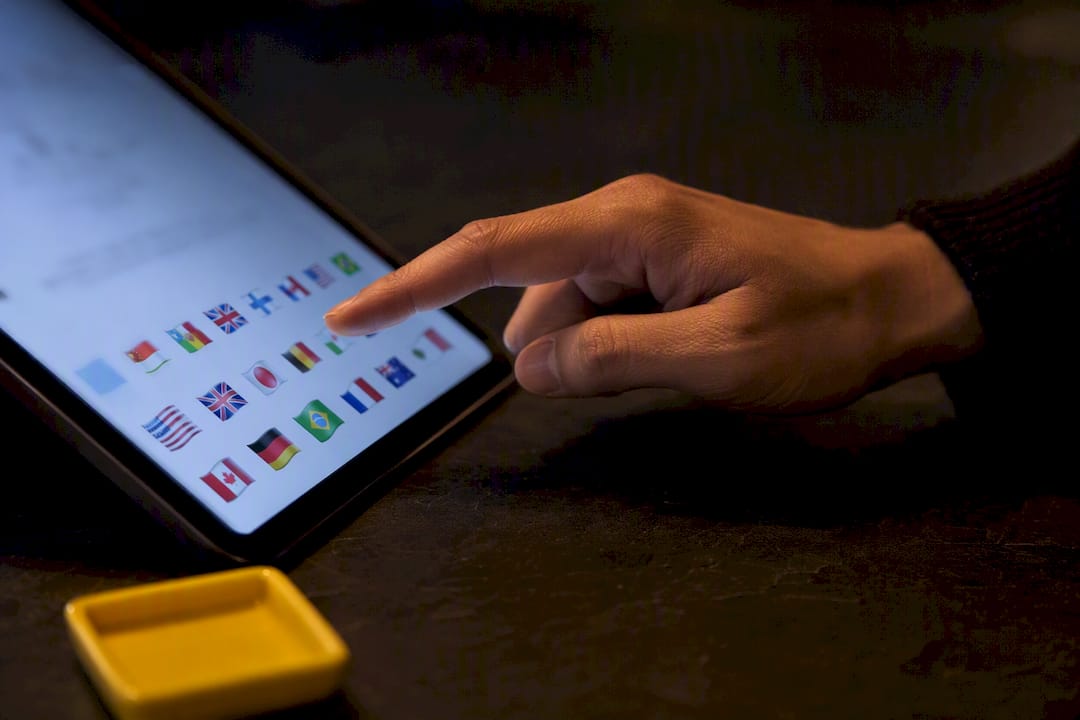
Yes, national flag emojis exist, and they work as two-letter regional-indicator pairs tied to each country’s ISO-3166 code. Copy the glyph you need from the quick list below, or head straight to Emoji Trove’s Flag Emojis page for the full set. One caveat worth knowing upfront: regional and unofficial flags don’t always render the same way across every device.
TL;DR:
- Flag emojis are created using two regional-indicator symbols that correspond to each country’s ISO-3166-1 code, but support varies across devices and platforms.
- Most popular national flags like the United States, United Kingdom, and Japan are supported on current iOS and Android devices, while older or less supported platforms may display raw letter codes instead of glyphs.
- Subnational flags, such as U.S. states or Canadian provinces, are not included as emojis because they are not part of the Unicode flag set.
- Using dedicated copy tools or bookmarked flag lists significantly speeds up inserting flags into posts, avoiding the inefficiency of manual search or keyboard navigation.
- Platform differences mean a flag may render differently or appear as a box or code, so preview on multiple devices is important when precision matters.
Table of Contents
- Flag Emojis List: Copy-Ready Glyphs for the Flags People Actually Use
- How Flag Emojis Work: Regional Indicator Pairs and Unicode Codepoints
- Why Some Flags Don’t Show Up the Way You Expect
- How to Copy and Paste Flag Emojis on Any Device
- What Ten Years of Emoji Trends Taught Me About Flags
- Get Every Flag Glyph Fast With Emoji Trove’s Copy Tools
- Sources
- FAQ
Flag Emojis List: Copy-Ready Glyphs for the Flags People Actually Use
Most people searching for a flag emojis list aren’t after all 195 countries. They want the ten or so flags that show up constantly in captions, comment sections, and travel posts. Here’s a curated batch you can copy right now.
- 🇺🇸 United States
- 🇬🇧 United Kingdom
- 🇨🇦 Canada
- 🇦🇺 Australia
- 🇮🇳 India
- 🇯🇵 Japan
- 🇩🇪 Germany
- 🇫🇷 France
- 🇨🇳 China
- 🇧🇷 Brazil
Tap or click any glyph above, and it’s already selected for copying. That’s the whole trick behind a good emoji flag collection: no scrolling through a keyboard picker, no hunting for the right country code, just grab and paste.
Beyond these ten, public references catalog roughly 269 flag-related emoji expressions, a number that includes every recognized country flag plus symbolic ones like the checkered racing flag and the pirate flag. That’s a lot of ground to cover if you’re building content around a specific region, a sports tournament, or a multinational campaign.
If your list of flag emojis needs stretches past the usual suspects, the full country flag emoji symbols set lives on Emoji Trove’s dedicated flags page, organized so you can search by country name instead of scrolling alphabetically through 195 entries. Each glyph there comes with a one-click copy button, which matters more than it sounds. Manually selecting a tiny flag character on a phone screen is fiddly at best.
Pro Tip: Keep a personal shortlist of your five or six most-used flags in a notes app. Even with a fast copy tool, retyping the same search every week adds up.
The national flag emojis above cover the countries with the largest social media populations and the biggest cross-border audiences, which is why they dominate captions, bios, and hashtags. But popularity shifts with context. A travel account posting about Southeast Asia will lean on a completely different set than a finance account tracking G7 economies. That’s the real argument for keeping a full reference bookmarked rather than memorizing a fixed top ten.
How Flag Emojis Work: Regional Indicator Pairs and Unicode Codepoints
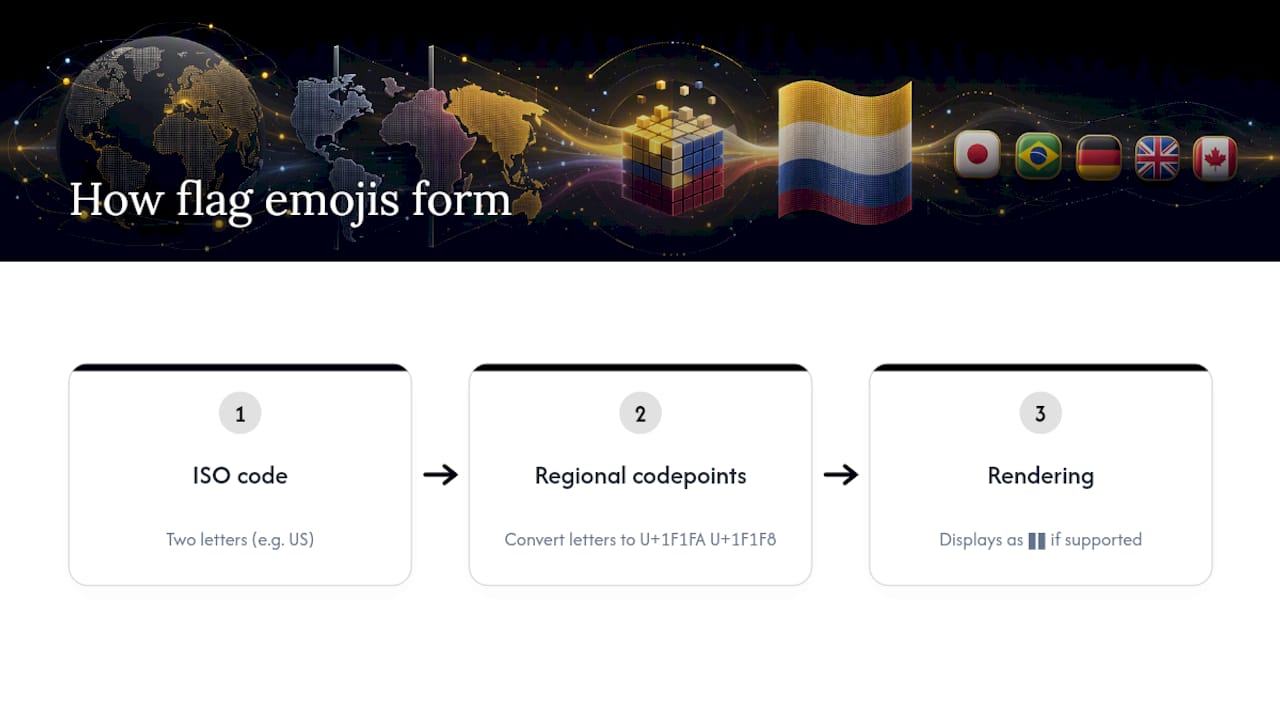
Every country flag emoji is actually two characters disguised as one. Each flag is built from a pair of regional-indicator symbols, and each symbol corresponds to a letter in that country’s two-letter ISO-3166-1 code. Put the two letters together, and compliant software renders them as a single flag glyph instead of two separate letter tiles.
Take the American flag as the clearest example. The country code is “US.” Convert each letter to its regional-indicator codepoint, and you get U+1F1FA followed by U+1F1F8. Render those two codepoints side by side on a device with proper emoji support, and you see 🇺🇸. The ISO-3166 mapping table lists this same pattern for every recognized country, from AD (Andorra) through ZW (Zimbabwe).
Two letters, two codepoints, one flag. That’s the entire mechanism behind every country flag emoji in existence. There’s no separate image file for “France” or “Japan.” There’s just a font or system that knows how to pair regional indicators into a flag.
This matters because it explains a phenomenon a lot of people run into without understanding why: sometimes a flag shows up as two boxy letters instead of a flag. According to Unicode’s Full Emoji List, which documents every code point and confirms flags are encoded as regional-indicator pairs, whether that pairing actually displays as a flag depends entirely on the font and platform rendering it. The codepoints are universal. The visual result is not.
For developers or anyone troubleshooting a display bug, knowing the codepoint pair behind a flag is genuinely useful. It lets you confirm whether the underlying data is correct even when the visual rendering fails, which is a faster diagnosis than assuming the text itself is broken.
Why Some Flags Don’t Show Up the Way You Expect
A flag emoji rendering as two plain letters (like seeing “US” in a gray box instead of an actual flag) almost always means the device or app hasn’t updated its font to support that regional-indicator pairing. Older phones, some desktop email clients, and a handful of lightweight apps still fall back to showing the raw letter codes.
Platform differences go deeper than that, though. Reference pages tracking flag emoji rendering note inconsistencies across devices, and some regional flags (Northern Ireland is a commonly cited example) get handled differently depending on which operating system and font are involved.
A few practical patterns to know:
- iOS and Android generally support the full standard country flag list, since both maintain current emoji fonts.
- Windows has historically lagged on flag support in certain versions, sometimes showing letter codes instead of glyphs.
- Browser rendering depends on the operating system’s font, not the browser itself, so the same webpage can look different on Chrome for Windows versus Chrome for macOS.
- Subnational flags, like individual U.S. states or Canadian provinces, generally aren’t part of the Unicode Recommended for General Interchange (RGI) set and won’t render as emoji at all.
- Symbolic flags are their own separate codepoints entirely, not regional-indicator pairs: 🏳️🌈 (rainbow flag), 🏴☠️ (pirate flag), and 🏁 (chequered flag) each exist independently, unrelated to any country code.
Pro Tip: If you’re posting for a global audience, preview your caption on at least two platforms before publishing. A flag that looks perfect on your iPhone can show up as a blank box for someone using an older Android device or a corporate Windows laptop.
Unicode’s own emoji documentation flags this exact issue: creators frequently assume every regional or state flag has emoji support, when in reality only nationally recognized ISO-3166 codes made it into the standard.
How to Copy and Paste Flag Emojis on Any Device
Getting a flag from a screen into your caption, tweet, or message takes a different path depending on what you’re using. Here’s the fastest route for each.
- On desktop: Highlight the flag glyph with your cursor, press Ctrl+C (Windows) or Cmd+C (Mac), then paste with Ctrl+V or Cmd+V wherever you’re posting. Watch for text encoding issues in older software; if a flag turns into odd characters, the app likely doesn’t support Unicode’s regional-indicator pairing properly.
- On iOS: Open your device’s built-in emoji keyboard and search by country name, or skip the search entirely and use the copy button on a reference page like Emoji Trove’s flags list.
- On Android: Open the Gboard emoji panel and search the same way, or again, just tap a copy button from a site that already has the glyph ready to go.
Pro Tip: Searching a native emoji keyboard for a specific country by name is often slower than using a one-click copy tool, especially on mobile, where typing accuracy drops and autocorrect sometimes interferes with search terms.
The copy-button approach beats keyboard hunting for one simple reason: it skips the guesswork of remembering exactly how a country’s name is spelled or categorized in your phone’s emoji index. Emoji Trove’s copy tool is built around exactly this shortcut for the entire emoji library, flags included.
What Ten Years of Emoji Trends Taught Me About Flags
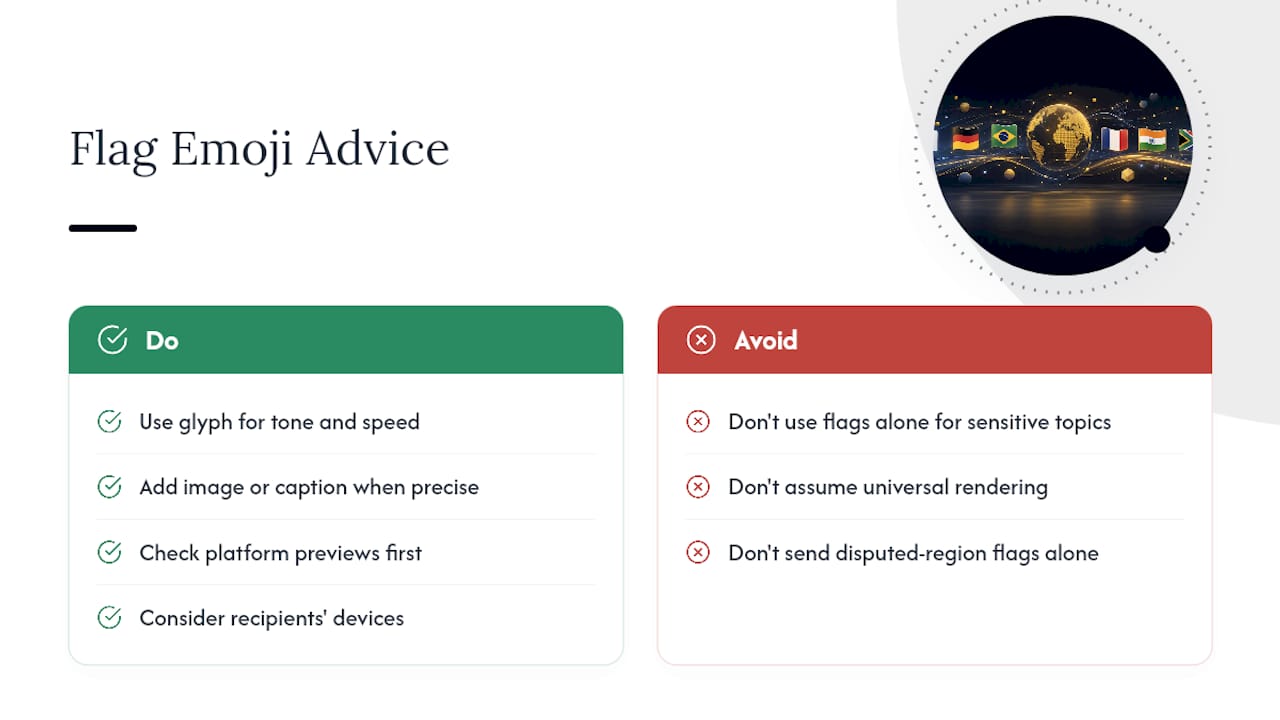
People treat flag emojis like they’re neutral, decorative, universally understood symbols. They’re not. A flag carries political weight the sender didn’t necessarily intend, and platform rendering differences make that worse: a flag that displays fine on your phone might show as a blank box or the wrong symbol entirely on someone else’s, turning a simple gesture into confusion.
The fix isn’t complicated. Consider your audience’s likely devices before leaning on a flag as your only signal, especially for anything sensitive like disputed territories or regions with contested status. When precision actually matters, a small image or a written caption alongside the emoji does more work than the glyph alone. Emoji Trove built its Flag Emojis library with this kind of practical use in mind, covering platform previews so you’re not guessing how something renders elsewhere. Use the glyph for tone and speed. Use words when the stakes are higher than a casual caption.
— Nkosi
Get Every Flag Glyph Fast With Emoji Trove’s Copy Tools
Scrolling through a native emoji keyboard to find one specific country flag wastes time you don’t have when you’re trying to post before an engagement window closes. There are searchable emoji libraries featuring a large number of emojis, including dedicated flags collections built for exactly this kind of quick grab.
The Flag Emojis page lists every country’s glyph with a one-click copy button and platform previews, so you can check how a flag actually looks before you post it. Need more than flags for your caption? The Emoji Tools page covers text symbol generators and translators for building out the rest of your post. Start with the flag you need, copy it in one tap, and paste it straight into whatever you’re writing.
Sources
FAQ
Are All Country Flags Available as Emojis?
Most UN-recognized countries have a flag emoji built from their ISO-3166-1 country code, but not every flag renders consistently across platforms, and some regions have no standard codepoint at all.
Why Does a Flag Emoji Show Up as Two Letters Instead of a Flag?
That happens when the device or app’s font doesn’t support pairing regional-indicator symbols into a flag glyph, so it falls back to displaying the raw two-letter country code.
Can I Use a U.S. State Flag or Canadian Province Flag as an Emoji?
No. Subnational flags like state or provincial flags generally aren’t part of Unicode’s Recommended for General Interchange set, so they don’t exist as emoji.
What’s the Fastest Way to Copy a Flag Emoji?
Using a one-click copy tool, like the one on Emoji Trove’s flags page, is faster than searching a native emoji keyboard by country name.
Is the Rainbow Flag Emoji Connected to Any Country Code?
No. The rainbow flag (🏳️🌈) and other symbolic flags like the pirate flag (🏴☠️) are separate codepoints entirely, unrelated to the regional-indicator system used for country flags.