1,900+ Curated Emoji Combinations That Render Across Devices
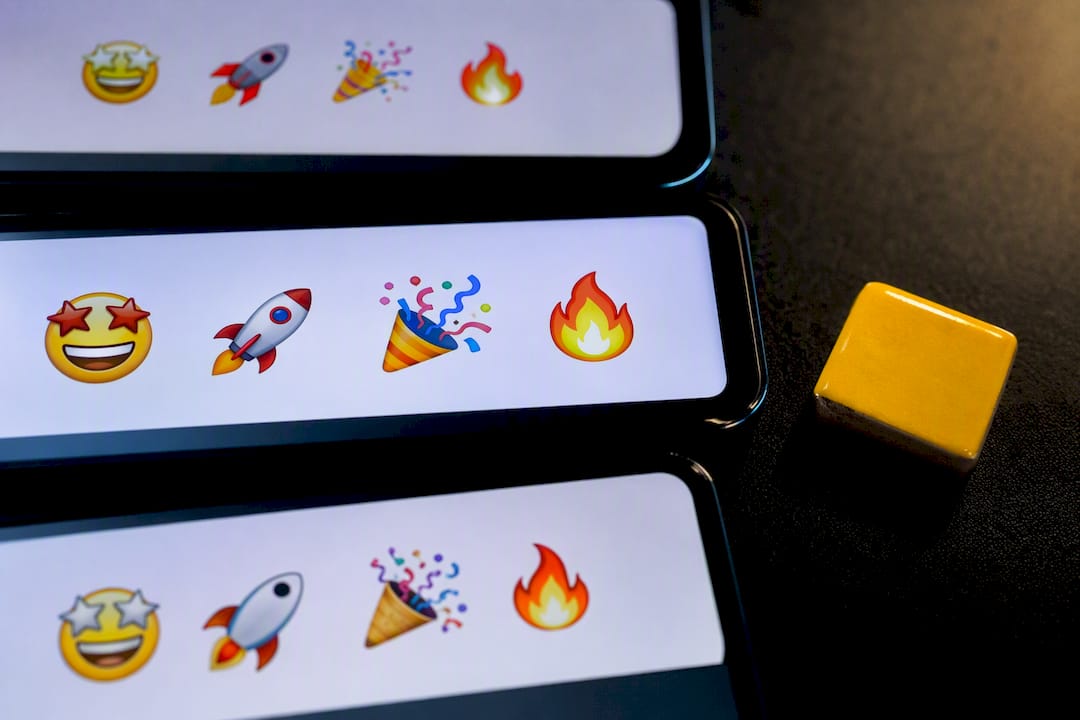
Emoji combinations are short strings of two to six emoji paired together to express a mood, aesthetic, or joke more precisely than any single icon can. This page collects themed, ready-to-copy combos for aesthetic, cute, funny, and bio use, plus quick guidance on rendering and platform fit. You’ll also see how Gboard’s Emoji Kitchen changes the game, and where a curated tool like Emoji Trove’s combo library saves you the scrolling.
TL;DR:
- Emoji combos typically contain two to five widely supported emoji, ensuring they render correctly across most devices and platforms.
- Curated libraries like Emoji Trove test their combos across multiple devices to prevent broken or missing symbols.
- Shorter combos with a clear focal emoji communicate more effectively in tight spaces like bios and display names.
- Combining emoji based on similar themes, colors, or moods enhances coherence and avoids confusing or cluttered visuals.
- For universal accessibility, keep combos brief, preview them on different backgrounds, and consider supplementing with text for clarity.
Table of Contents
- Emoji Combos by Theme: Aesthetic, Cute, Funny, and More
- How to Copy, Paste, and Use Emoji Combos (Plus Gboard Emoji Kitchen)
- Building Combos That Actually Render Right
- Why a Curated Emoji Library Beats Scrolling for Combos
- Accessibility Considerations for Emoji Combinations
- A Few Honest Rules for Using Emoji Combos Well
- Find and Copy Combos Faster with Emoji Trove
- Sources
- FAQ
Emoji Combos by Theme: Aesthetic, Cute, Funny, and More
Every good combo has a job to do. Some soften a bio, some punch up a caption, some just make a friend laugh in a Discord thread. Sorting by theme is the fastest way to find one that fits the moment, so here’s the breakdown.
Aesthetic combos
These lean toward mood boards and soft color palettes. Use them in bios or as caption openers when you want a vibe more than a punchline.
- 🌙✨ for a dreamy, nighttime bio line
- 🤍🕊️ for minimalist, calm profiles
- 🪐🌌 for space-obsessed captions
- 🍃🌾 for earthy, quiet aesthetics
- 🎞️📼 for nostalgic, retro-leaning posts
- 🫧🩰 for soft, pastel bios
- 🕯️📖 for cozy evening captions
- 🌫️🖤 for moody, grayscale feeds
- 🩶🌫️ for understated profile lines
- 🍂🧣 for autumn-themed captions
Cute combos
Cute combinations favor warmth over subtlety. They read well in captions and status updates where you want something instantly friendly.
- 🐣🌼 for spring-themed cuteness
- 🧸🎀 for soft, girly bios
- 🐾💗 for pet content and captions
- 🍓🐰 for playful, sweet posts
- 🎈🐥 for birthday or celebratory captions
- 🌷🐤 for gentle, upbeat status lines
- 🧁🎗️ for bakery or craft accounts
- 🐻❄️ for winter cute themes
- 🦋🩷 for transformation or glow up posts
- 🍒👛 for coquette style captions
Funny combos
Funny combos thrive on contrast or irony. They land best in captions and comments, less so in a formal bio.
- 💀🙃 for “I’m dead” reactions
- 🫠🔥 for “this is a mess but I love it” energy
- 🐸☕ for calm chaos vibes
- 🤡🎪 for self-deprecating jokes
- 🍗👑 for over-the-top pride in something small
- 🥴🎢 for a wild week recap
- 🦖💅 for confidently unbothered posts
- 🧃🚿 for absurdist, no-context humor
- 🐢💨 for slow-day jokes
- 👻📉 for “ghosting my responsibilities” humor
Bios and display name combos
These need to survive tight character limits, so keep them short and legible against small profile pictures.
- ✨🖤 for a clean two-symbol signature
- 🌊🫧 for calm, aquatic-leaning names
- 🔥📍 for confident, location-tagged bios
- 🎧🌆 for music and city-life identities
- 🍀🌈 for lucky, optimistic display names
Mood and hype combos
For captions meant to broadcast energy, whether excited or defiant.
- 🚀🔥 for hype announcements
- 💅🏆 for confident wins
- 🌪️⚡ for chaotic-but-thriving days
- 🖤🔗 for edgy, minimal statements
Seasonal and occasion combos
- 🎃🕸️ for Halloween
- 🎄❄️ for winter holidays
- 🌸🦋 for spring
- 🎆🎇 for New Year’s Eve
- 🌻☀️ for summer captions
Gaming, cottagecore, dark academia, and witchcore
Niche aesthetics have their own visual grammar, and mixing them muddies the effect. Guides like WikiHow’s aesthetic emoji list break these down further, but the core sets look like this:
- 🎮🕹️ and 👾🏆 for gaming bios
- 🌾🍯 and 🐇🧺 for cottagecore
- 📚🕯️ and 🖋️☕ for dark academia
- 🔮🌙 and 🕷️🖤 for witchcore
Curated collections like Kaomojis’s combo library, which lists more than 3,000 combos, typically test their sets across common devices to avoid the dreaded empty box glyph. That’s a useful habit to borrow even when you’re building combos from scratch: what renders fine on your phone might not render at all on a friend’s older Android.
How to Copy, Paste, and Use Emoji Combos (Plus Gboard Emoji Kitchen)
Getting a combo from this page into your bio takes seconds once you know the shortcuts.
- Select the combo. Highlight the emoji string with your cursor or finger, or use a one-click copy button if the source offers one, like on Emoji Trove’s copy page.
- Copy it. On mobile, tap and hold, then choose “Copy.” On desktop, use Ctrl+C or Cmd+C.
- Paste into the target field. Instagram and TikTok bios cap out around 150 characters, so trim longer combos if you’re stacking them with text.
- Check the render. Open the app and confirm nothing shows as a blank box, especially on older devices.
- Adjust for Discord. Discord supports both standard Unicode emoji and custom server emoji, so a combo that looks right in preview might get overridden by a server’s custom pack.
That’s the standard method for text-based combos. Gboard’s Emoji Kitchen works differently. Instead of placing two Unicode characters side by side, Emoji Kitchen fuses two emoji into a single blended sticker image, available through the Gboard keyboard on Android. Type or tap two emoji in sequence, and Gboard offers a mashup sticker version, like a fusion of a fire emoji and a heart into one custom graphic.
That distinction matters for where you use it. A Gboard mashup sends as an image, not as text, so it won’t paste into a bio field the way a Unicode string will. Standard combos, on the other hand, are just characters, meaning they work anywhere text works, including bios, captions, usernames, and comments.
Pro Tip: If you want a combo to work everywhere, including profile fields that only accept plain text, stick to standard Unicode combos rather than Gboard Emoji Kitchen stickers.
Building Combos That Actually Render Right
A combo that looks perfect on your screen can turn into broken boxes on someone else’s. A little design discipline up front avoids that.
Match the mood before the icon. Pick a color palette or emotional tone first, then choose emoji that fit it. Pairing a soft pastel butterfly with a skull emoji reads as confused, not edgy.
Keep it short. Two to five emoji is the sweet spot. Beyond that, combos start to look cluttered in tight UI spaces like bio lines and display names.
Pick a focal point. One emoji should carry the meaning; the rest support it. A combo with three equally “loud” emoji competes with itself.
Avoid rare symbols. Stick to widely supported Unicode emoji rather than obscure regional symbols or combining marks, which render inconsistently across iOS, Android, and desktop browsers.
Before you publish anywhere permanent, run this quick checklist:
- Preview the combo on both a phone and a desktop browser
- Check it against a light and dark background, since some bios auto-invert
- Confirm no character shows as a blank rectangle
- Trim the combo if it pushes past a bio’s character limit
Some combo tool pages claim posts using two to four intentional emoji see meaningfully higher engagement than posts with none or just one, a claim worth treating as a marketing data point rather than settled research, per Emoji Combinator’s own figures. Whatever the exact number, the logic holds: a deliberate combo reads as more intentional than a random emoji dump, and intentional posts tend to get more attention.
Why a Curated Emoji Library Beats Scrolling for Combos
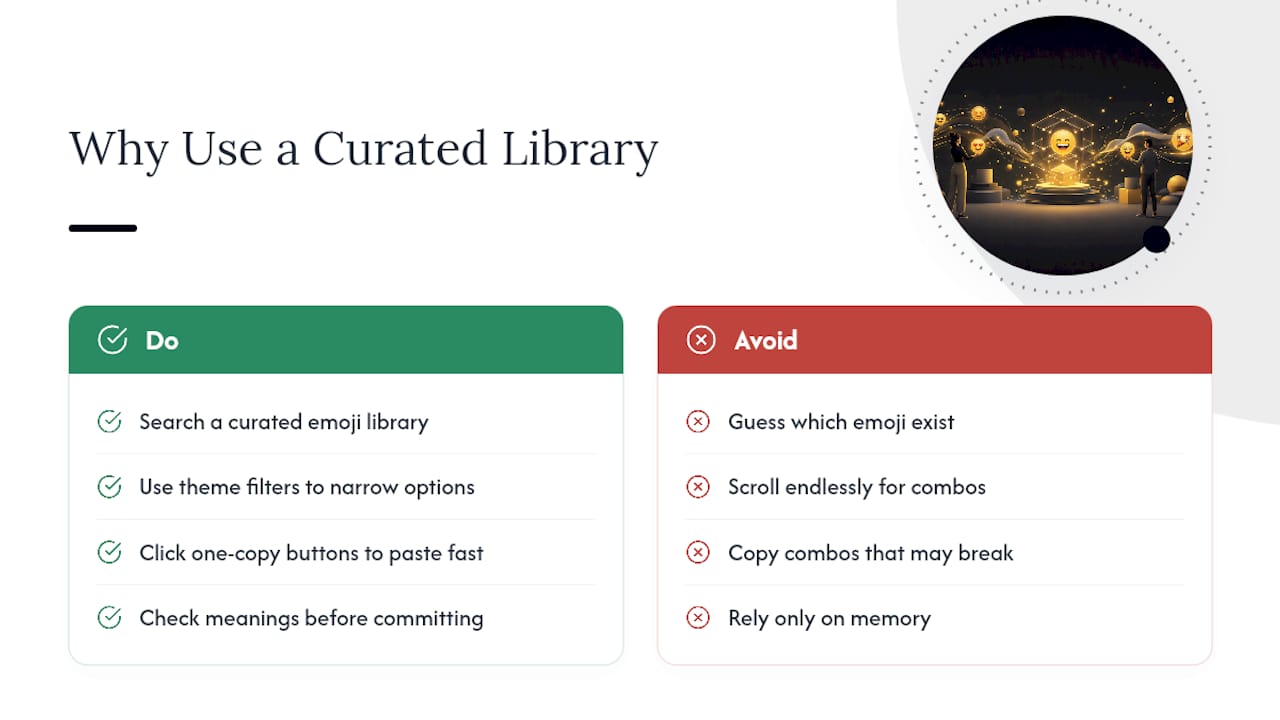
Building combos from memory means guessing which emoji actually exist, how they render, and whether your pairing has already been done better elsewhere. A searchable library skips that guesswork entirely.
Emoji Trove organizes more than 1,900 emojis by theme, with dedicated combo sets, direct copy tools, and search built to find what you need without endless scrolling. That structure solves two problems at once: finding the right emoji fast, and trusting that the combo you copy will actually display correctly.
A curated collection isn’t just about volume. It’s about knowing the combo you copy today will look the same on your friend’s phone tomorrow, without a single broken box in between.
Sites that host large combo collections, including MojiEdit’s aesthetic combo sets, lean on the same idea: theme filters and one-click copy buttons cut down the time between “I want something cute for my bio” and actually having it pasted in. Emoji Trove’s combos page applies that same logic, paired with its meanings library if you want to know what a specific icon signals before you commit to it.
Accessibility Considerations for Emoji Combinations
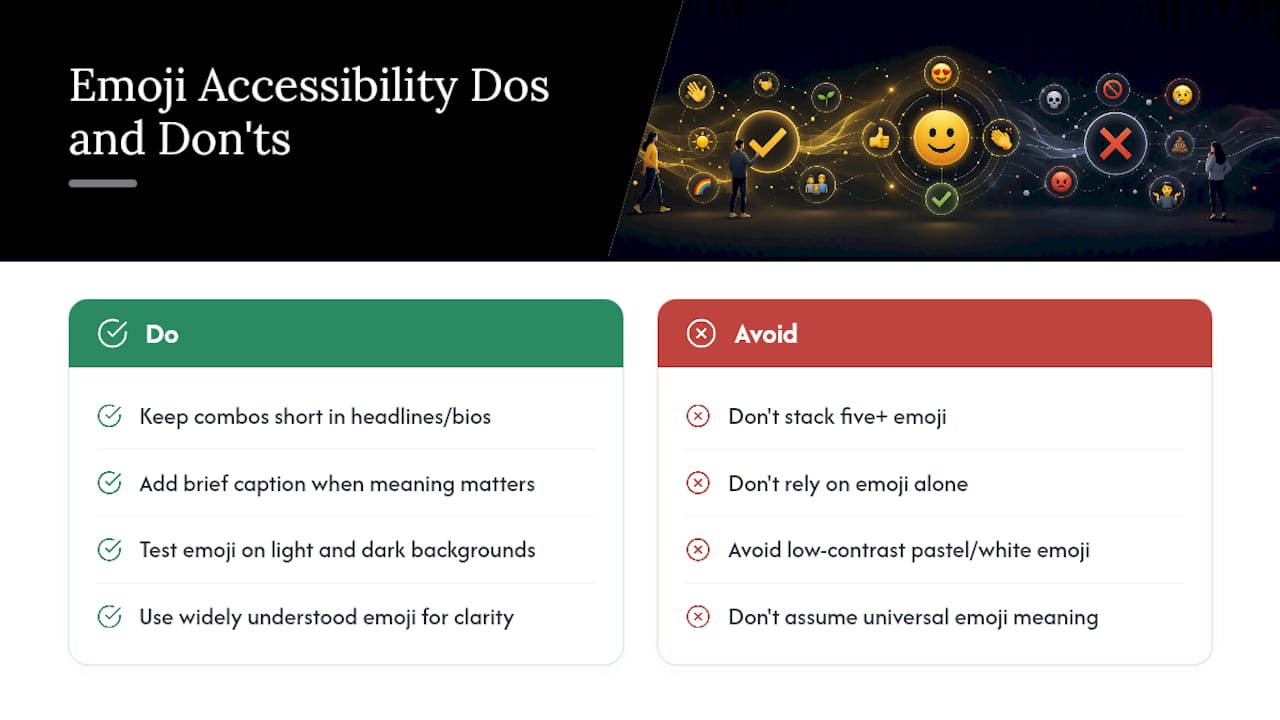
Not every reader experiences an emoji combo the same way. Screen readers announce each emoji by its official Unicode name, so a combo like 🫠🔥 gets read aloud as “melting face, fire,” one after another, with no context about tone or intent. Stack five or six emoji in a row, and a screen reader user hears a string of disconnected words that can be confusing or exhausting to parse.
Keep combos shorter for anything in a headline, alt text, or a bio that functions as key identifying information. If an emoji combo carries meaning essential to understanding a post, consider adding a brief text caption alongside it rather than relying on the emoji alone to communicate.
Color contrast matters too. Some emoji, particularly pastel or white-toned ones like 🤍 or 🫧, can nearly disappear against light-mode interfaces for users with low vision. Testing a combo against both light and dark backgrounds isn’t just a rendering check, it’s a legibility one.
Finally, remember that emoji meaning isn’t universal. A combo that reads as playful to one audience might confuse or, in rarer cases, offend another depending on cultural context, so when clarity matters more than style, lean toward combos with widely understood, unambiguous meanings.
A Few Honest Rules for Using Emoji Combos Well
Less is more, especially in tight spaces like display names and bios where two well-chosen emoji beat six competing ones. I’ve seen plenty of profiles where the combo tries to say everything at once and ends up saying nothing clearly.
Use combos to reinforce an identity you already have, not to manufacture one from scratch. A consistent 🌙✨ signature across your bio and captions builds recognition in a way a different random combo every week never will. Before you commit to anything permanent, test it on a couple of devices and resist the urge to blend three unrelated aesthetics into one string. A dark academia candle next to a cottagecore rabbit next to a witchcore skull isn’t eclectic, it’s just noisy.
— Nkosi
Find and Copy Combos Faster with Emoji Trove
Once you know what makes a combo work, the fastest path from idea to bio is skipping the manual search entirely.
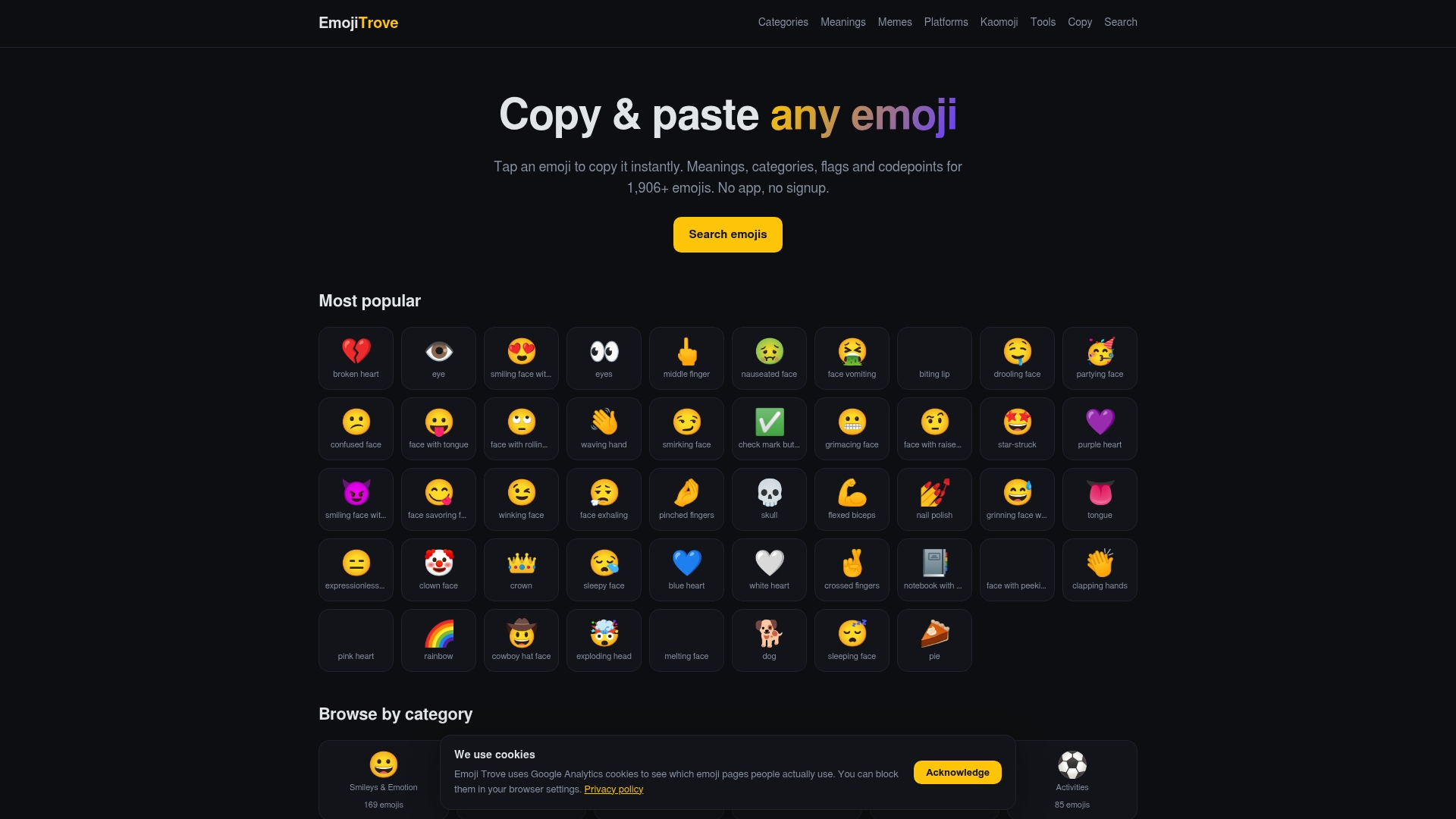
Emoji Trove organizes more than 1,900 emojis into browsable categories, with a dedicated combos collection built specifically for the kind of theme-based discovery this page walks through. Instead of testing pairings yourself and hoping they render, start on the combos page, filter by theme, click to copy, and paste straight into your bio or caption. Pair it with the copy and paste tool for one-click grabs, or check the emoji tools section if you want to generate text-based variations alongside your emoji picks. It’s built for exactly the workflow this article just walked through, minus the guesswork.
Sources
If this page doesn’t cover the exact vibe you’re after, a few other collections are worth a look.
FAQ
What emojis go well together?
Emoji that share a color palette, tone, or theme work best together, such as pairing soft pastels for cute bios or dark, muted tones for aesthetic or witchcore combos. Two to five emoji with one clear focal point tends to read cleaner than a longer, mismatched string.
Is the 🤗 emoji flirty?
The hugging face emoji (🤗) generally signals warmth, comfort, or excitement rather than romantic intent, though context and the sender’s relationship with the recipient can shift its tone. It’s more commonly read as friendly enthusiasm than flirtation.
What does the 🫠🫠 emoji represent?
The melting face emoji (🫠), especially repeated, typically expresses feeling overwhelmed, embarrassed, or “melting” from secondhand embarrassment or heat, both literal and figurative. Doubling it up amplifies the intensity of that reaction.
What does the 🔞 emoji mean?
The 🔞 symbol marks content as restricted to adults, commonly used to flag mature or age-restricted material online. It functions as a warning label rather than a decorative combo piece, so it’s rarely paired with aesthetic or cute combos.
Where can I find render-tested emoji combos to copy?
Curated libraries that organize combos by theme and check them across common devices reduce the risk of broken display boxes. Emoji Trove’s combos collection groups sets by category specifically for that kind of quick, reliable copying.